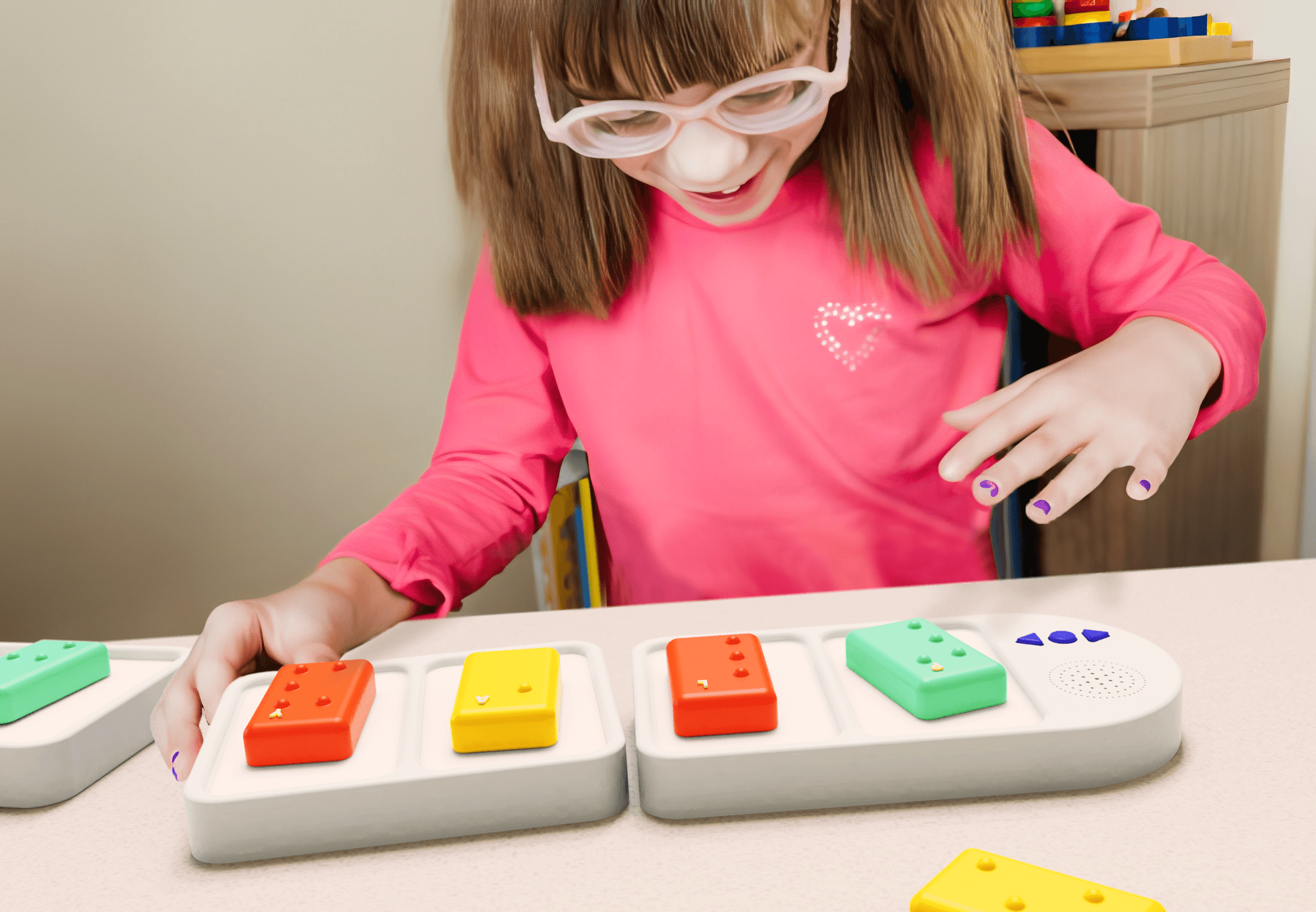
Tangible Interaction / Non-Visual Interface / Hardware
Braille Wordie
Duration
Oct - Dec 2023 · 2 months
Type
Group Work · UC Berkeley
Skills
Tangible Interaction, Circuit Prototyping, 3D Modeling
Tools
Rhino, Arduino, 3D Printing
No screen, no cursor, no visual state. Braille Wordie is a modular tangible interface for blind children: every input is a block placed by hand, every output is a voice. We built it so braille practice could happen without a teacher in the room.
A two-month group project at UC Berkeley: 3D-printed letter blocks, snap-together boards, a three-button cluster and a speaker, driven by an Arduino. What follows is how we designed interaction that lives entirely in hands and ears.
Team demo video — the full interaction, from opening the box to spelling a word by hand.
Why physical
A tactile skill can't be taught on a screen
Braille fluency is a motor skill: fingers learning to resolve dot patterns, corrected in the moment. An app can talk about braille, but it can't put dots under a child's fingertips. The humans who can are scarce, so the material itself had to become the feedback channel.
Group work
My part in it
Interaction model
Audio is the display, blocks are the input
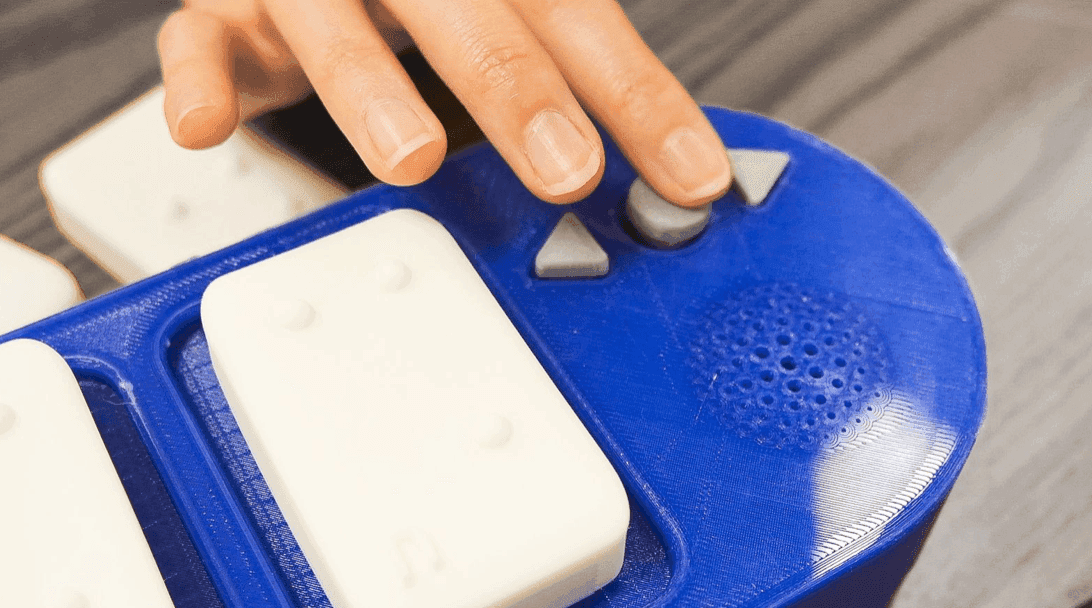
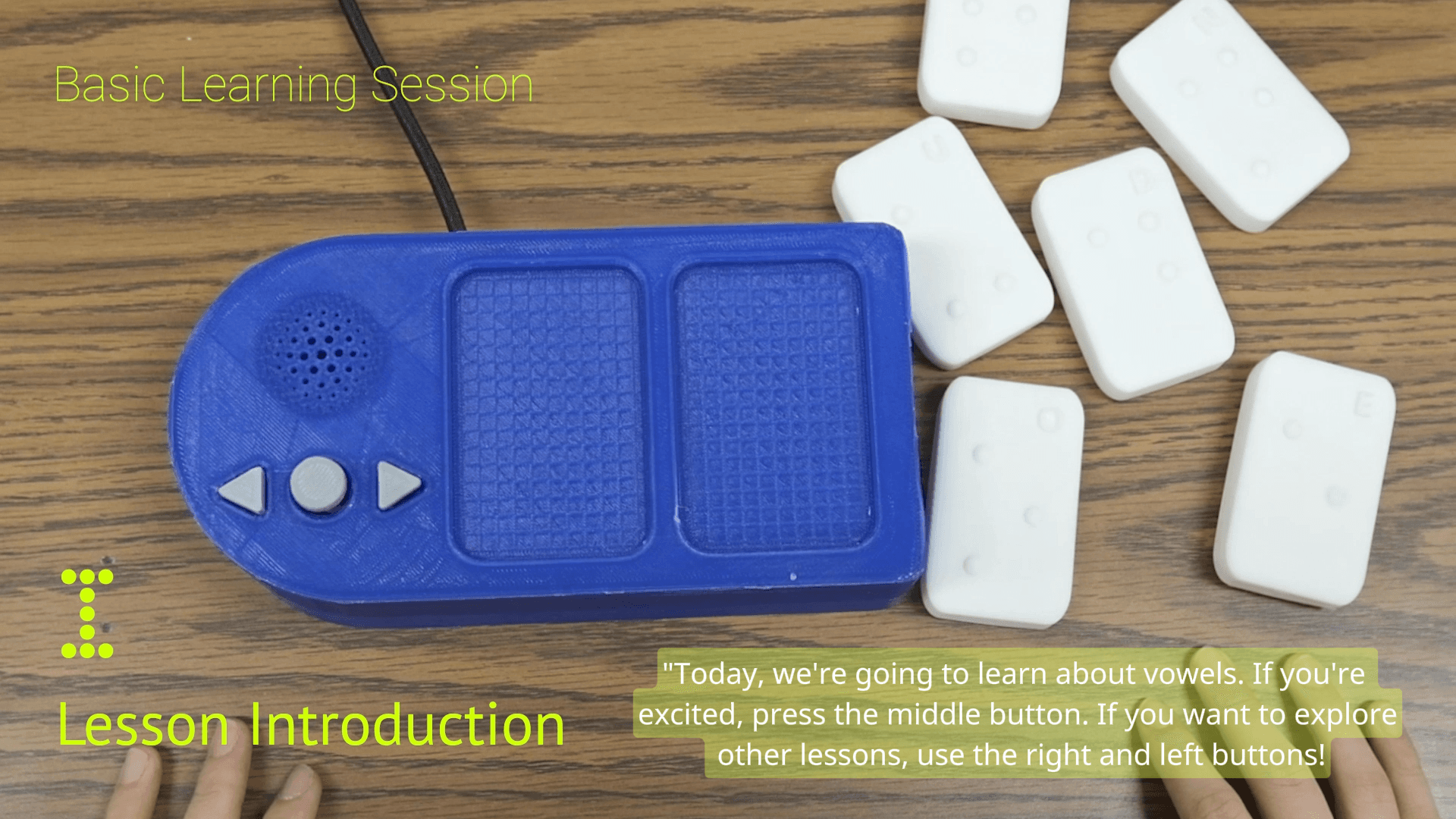
The device is a small state machine a child can hold. Strip away the screen and three channels are left, each doing one job:
Non-visual interaction
Designing for hands, not eyes
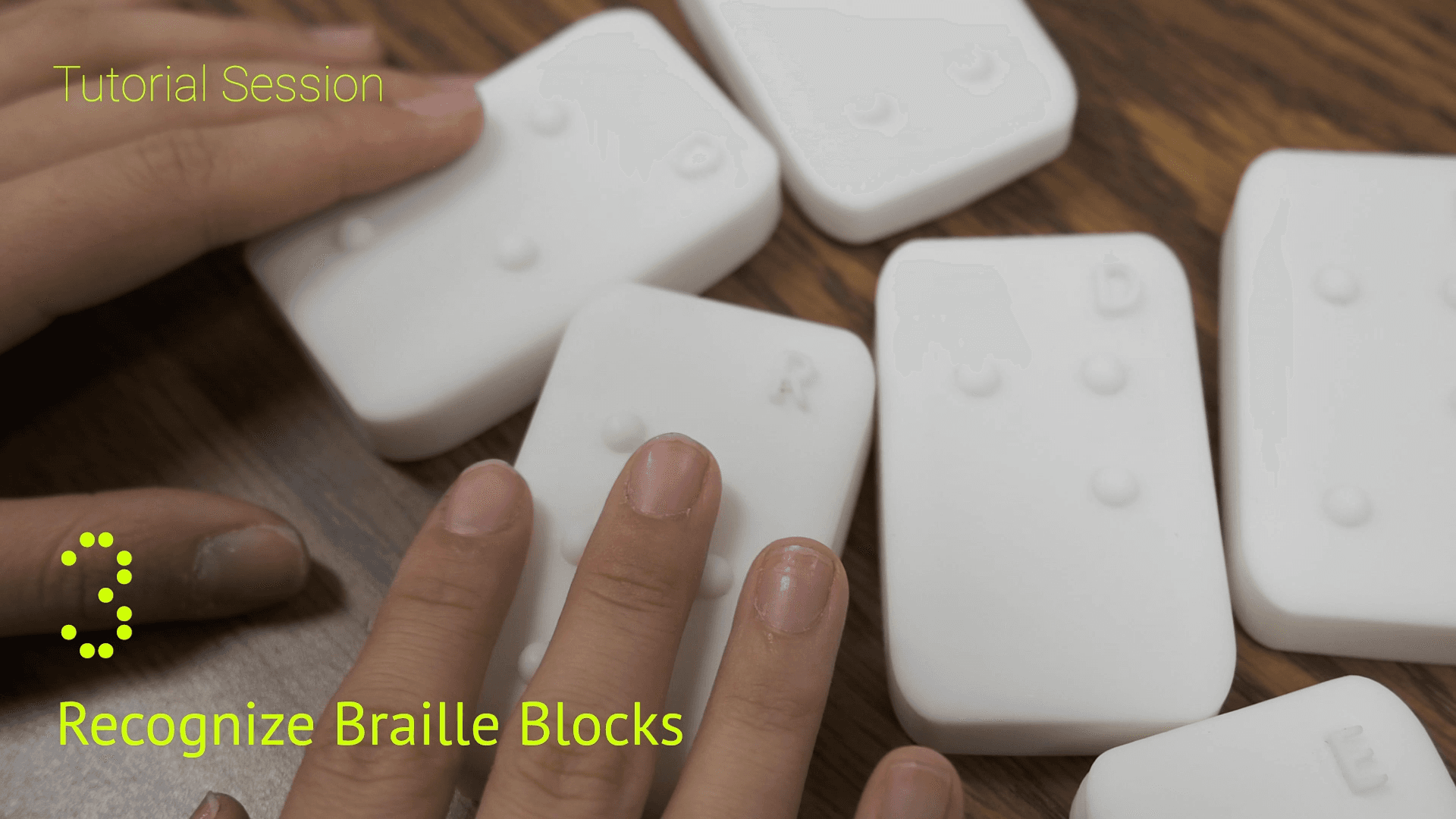
When the user can't glance at anything, every affordance has to survive a fingertip-only test. The decisions that carried the interface:
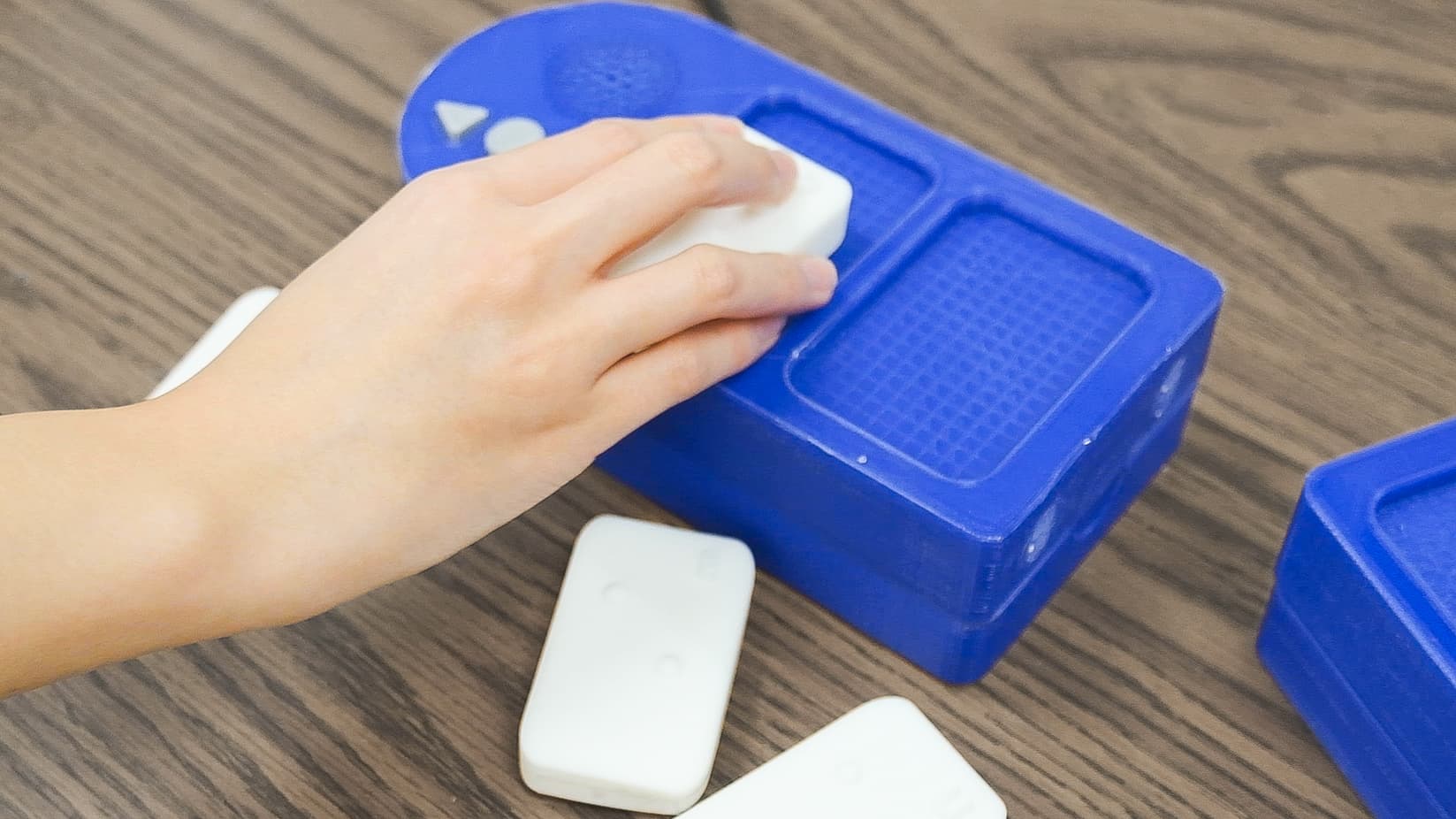
Modularity
Snapping boards together is the grammar
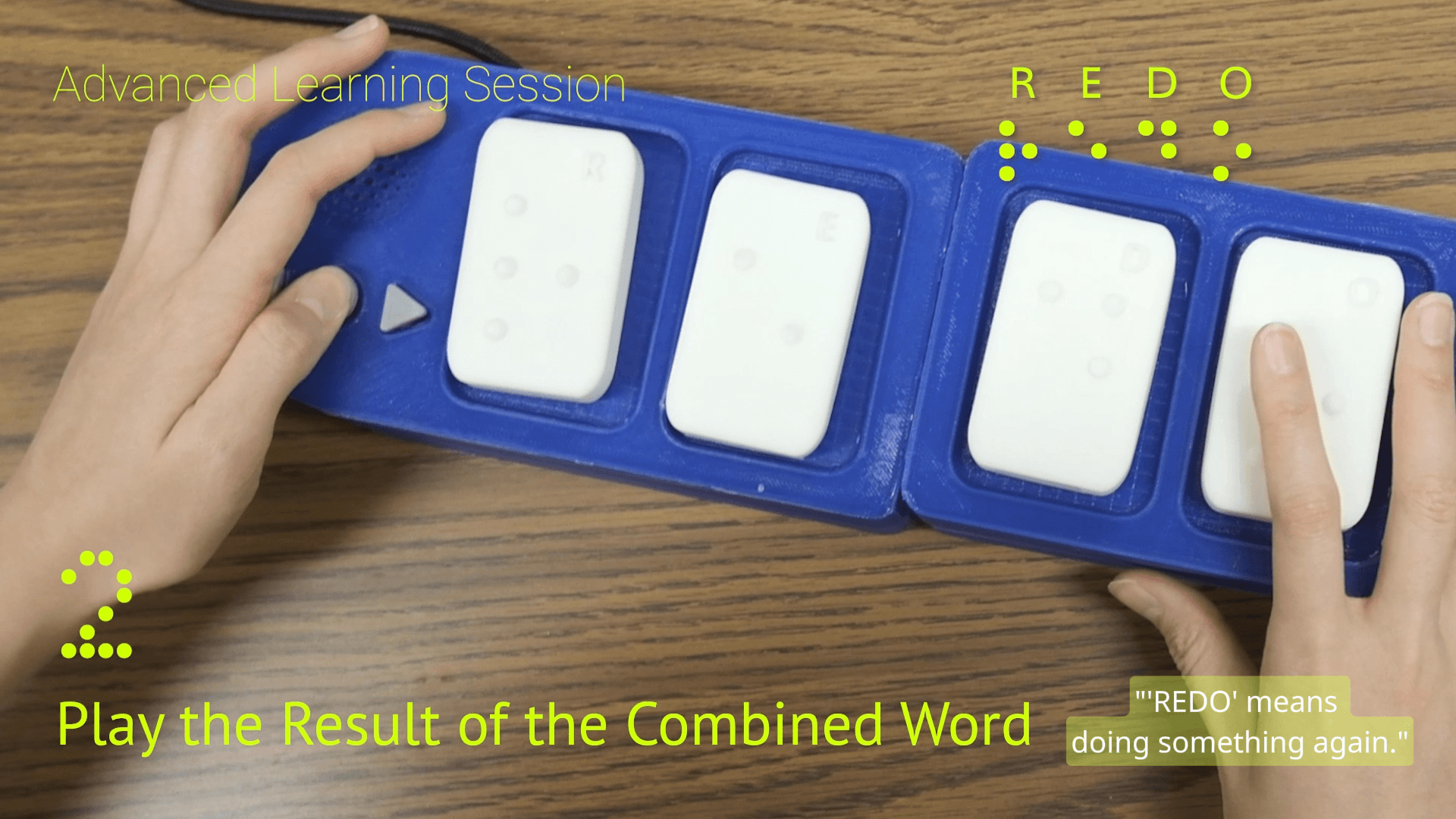
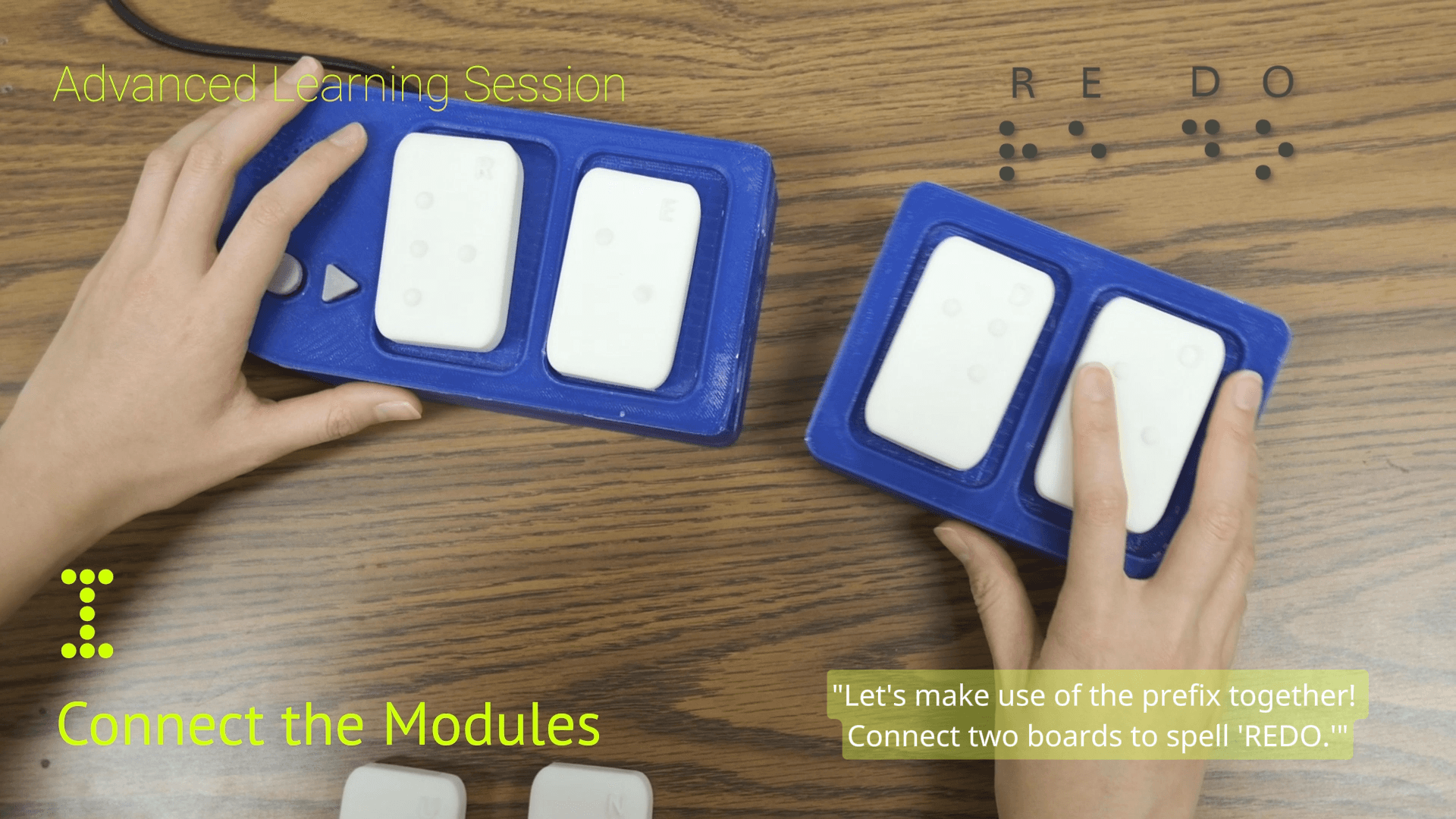
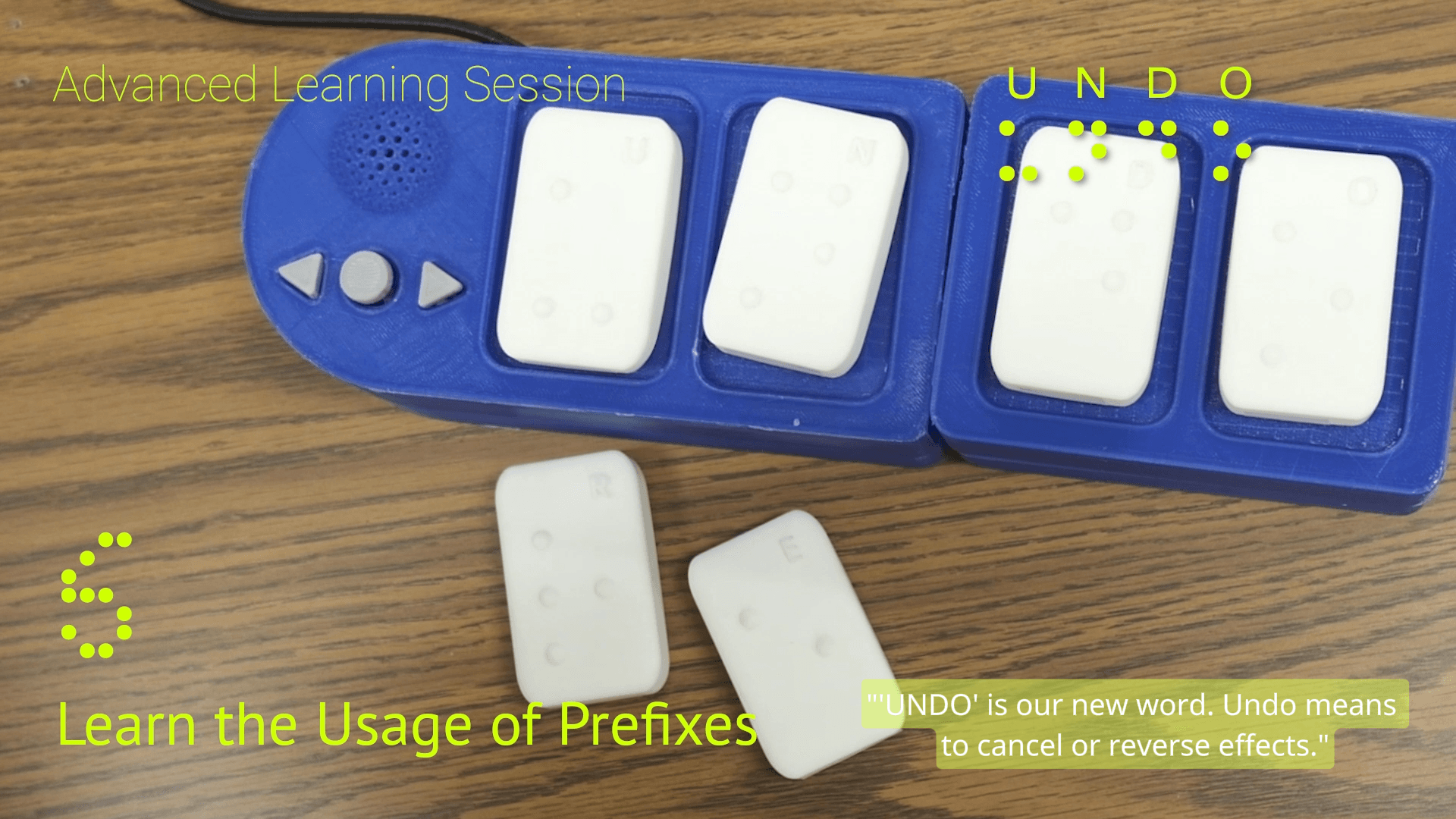
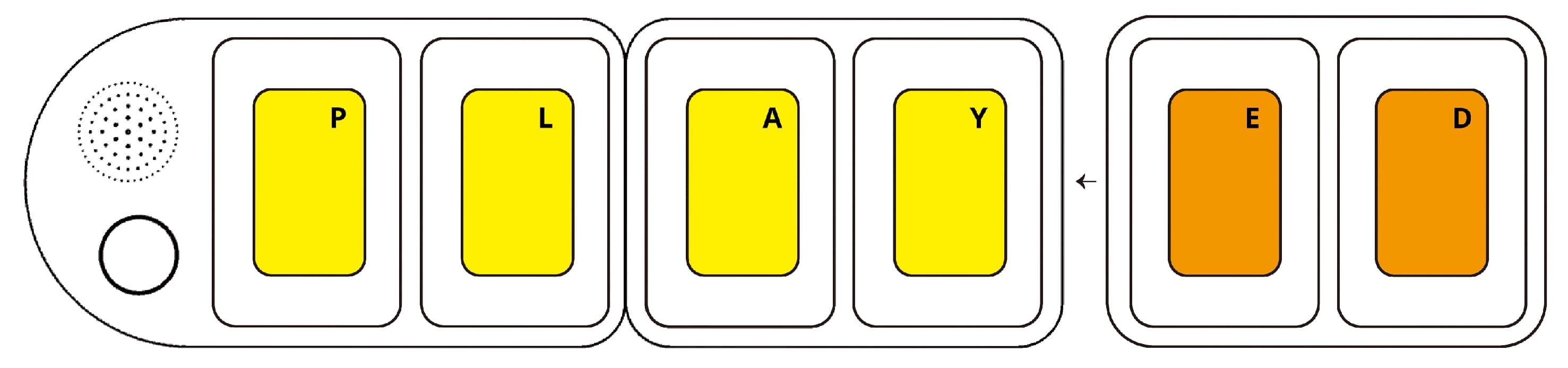
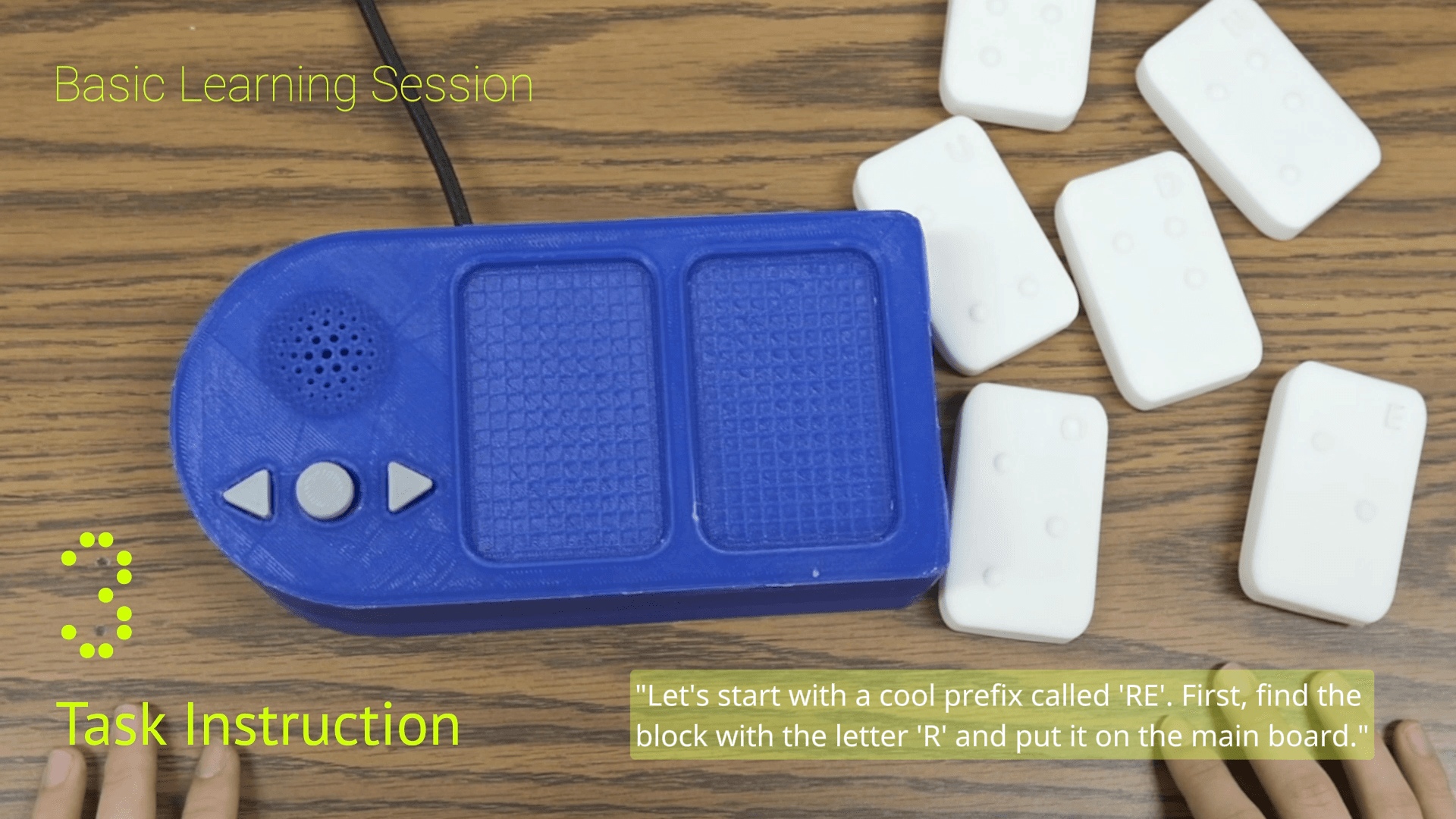
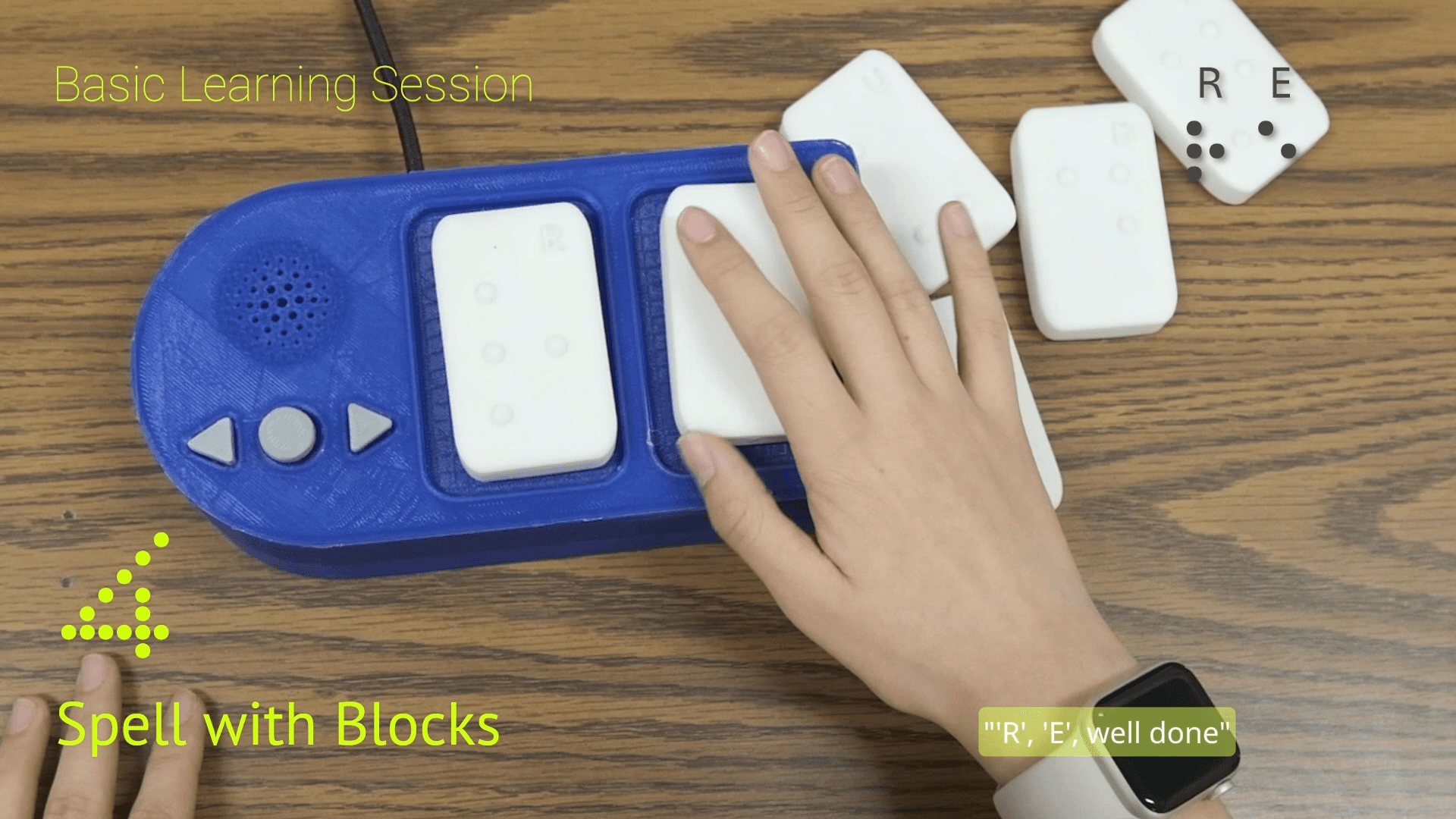
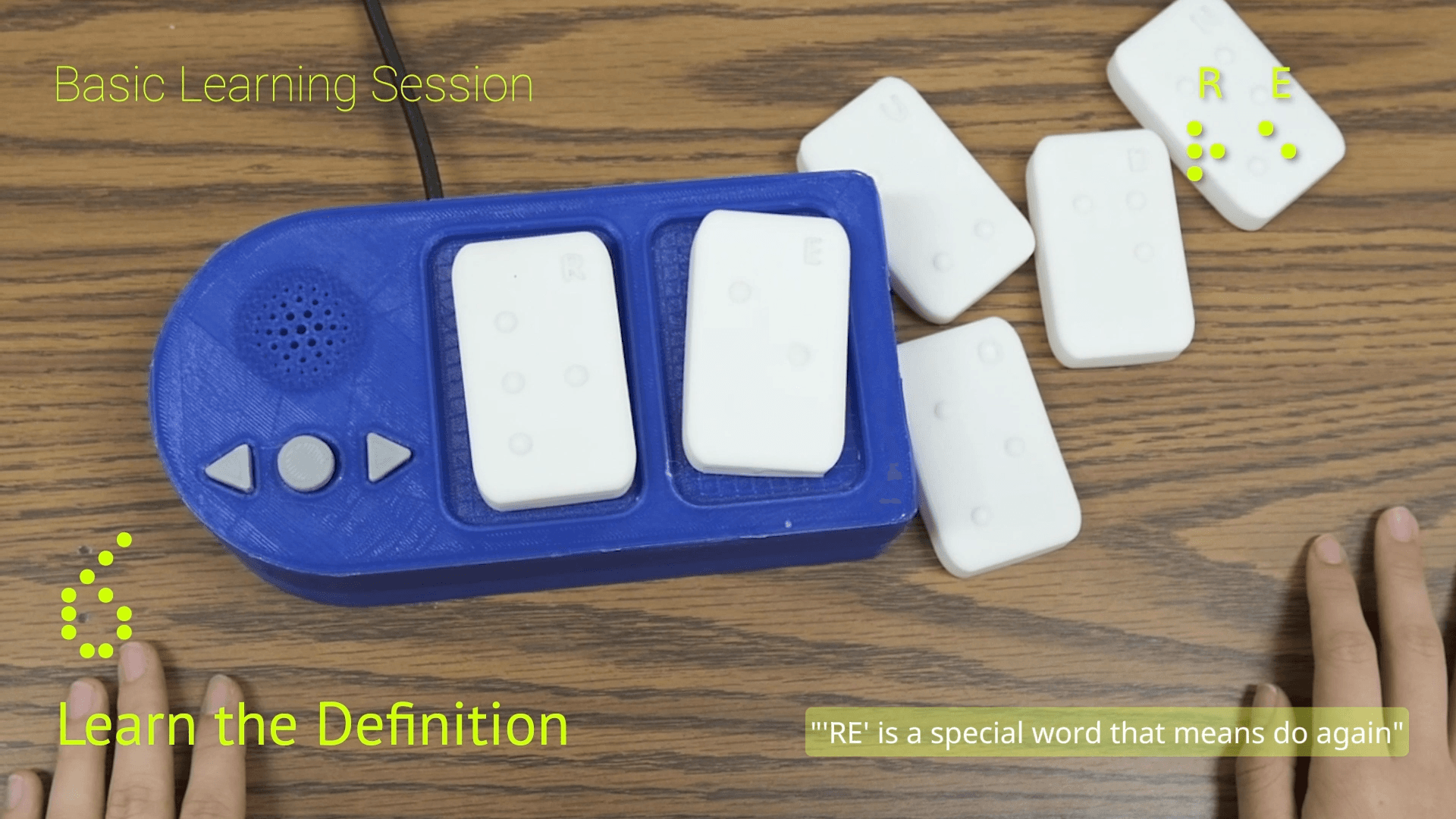
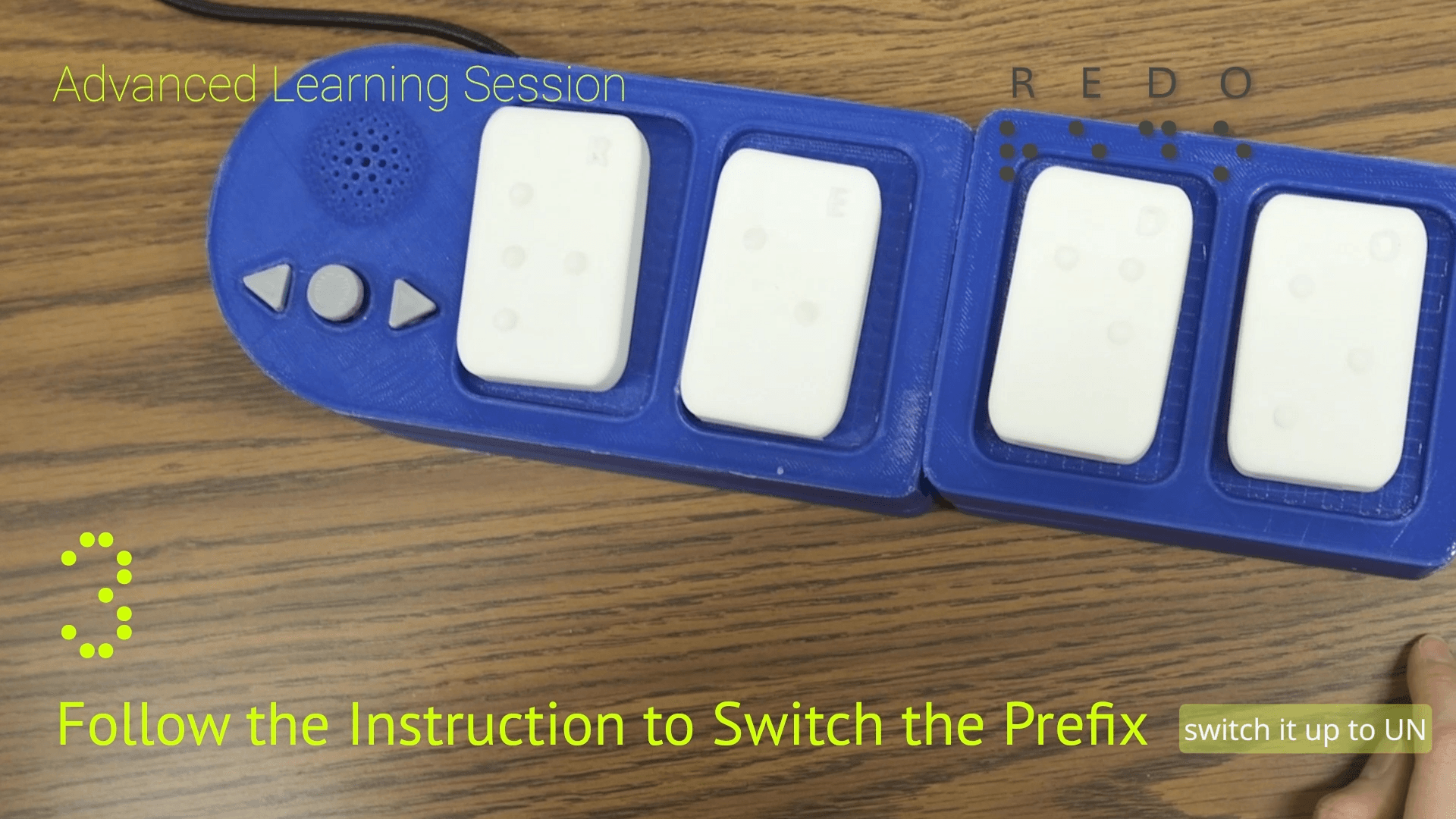
Each board holds two blocks, and boards connect side by side. A word is assembled in space: spell RE on one board, snap on a board holding DO, and the device plays the combined word. The linguistic structure lives in the physical arrangement, so “prefix” stops being an abstract idea, it's a board you attach. The same syntax was scoped to go further: an ED board for past tense, chains of boards for full sentences.

Hardware constraints
Sized to hands, built around a microcontroller
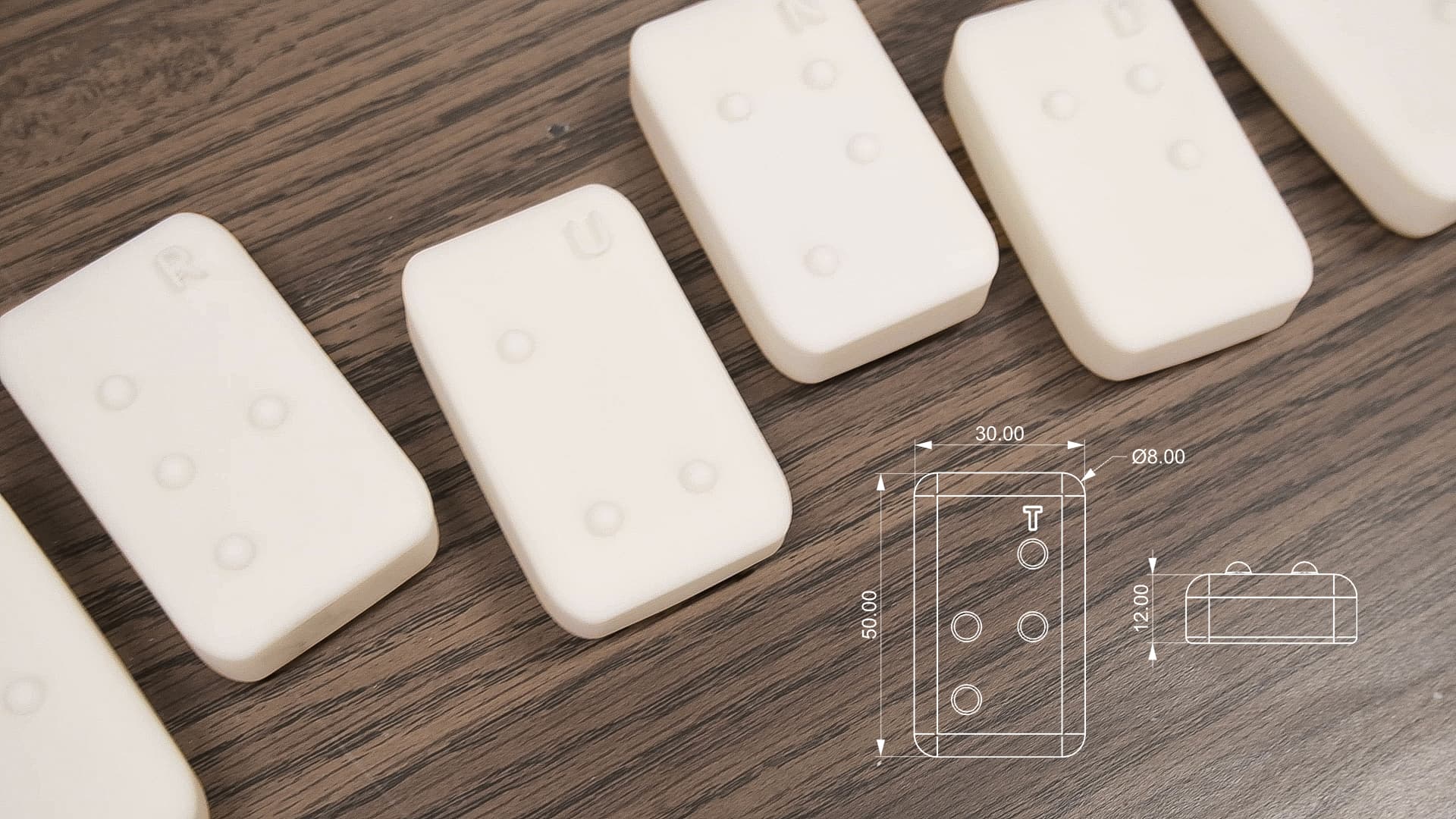
Session design
Three sessions, one loop
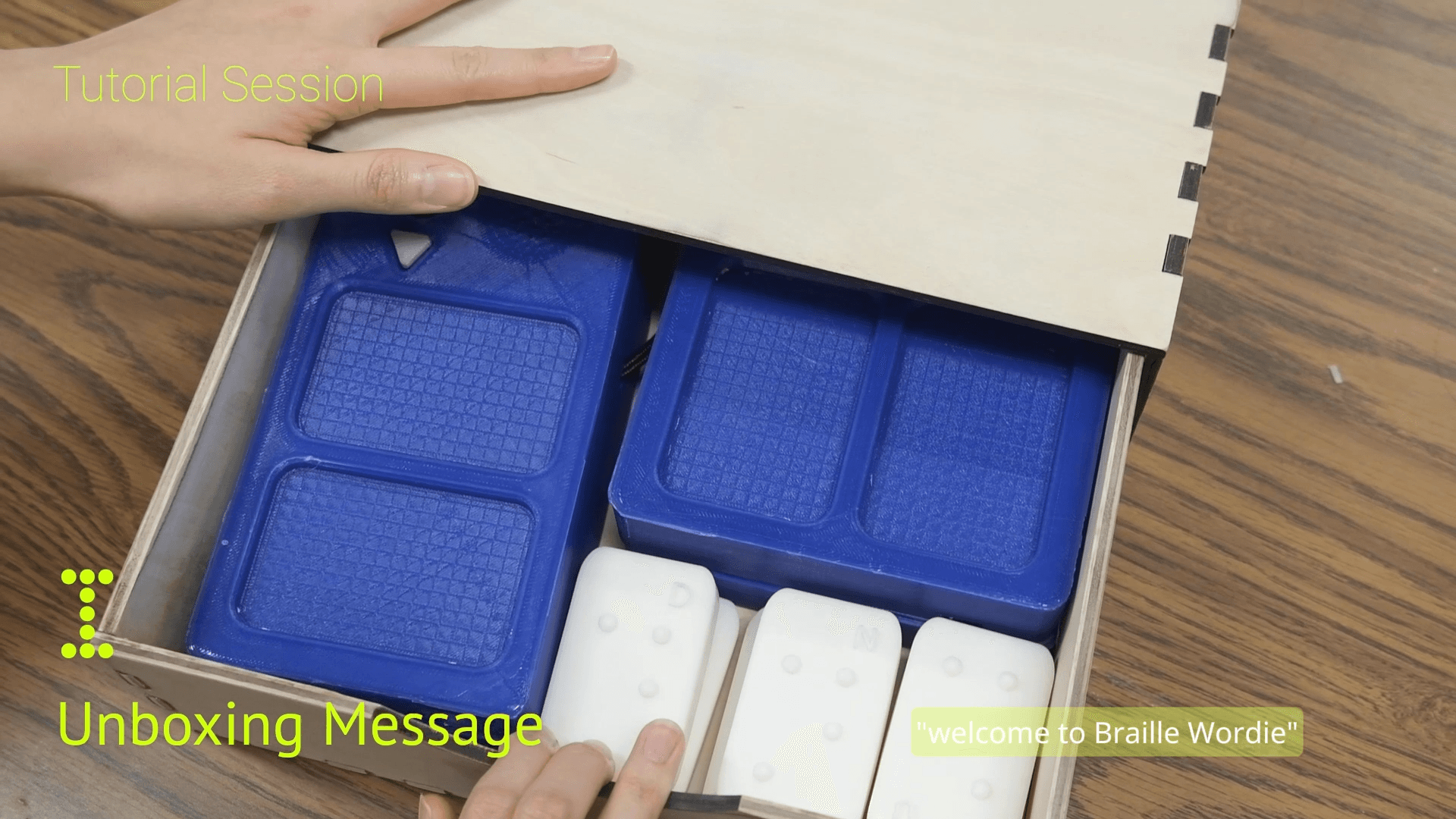
Content is staged as Tutorial, meet the object; Basic, pick a lesson, spell a word, hear its pronunciation and meaning; Advanced, connect boards and transform words with prefixes. Every step closes the same loop: act with your hands, hear the result, correct, go again. That loop is what stands in for the teacher's “try again”.
Validation
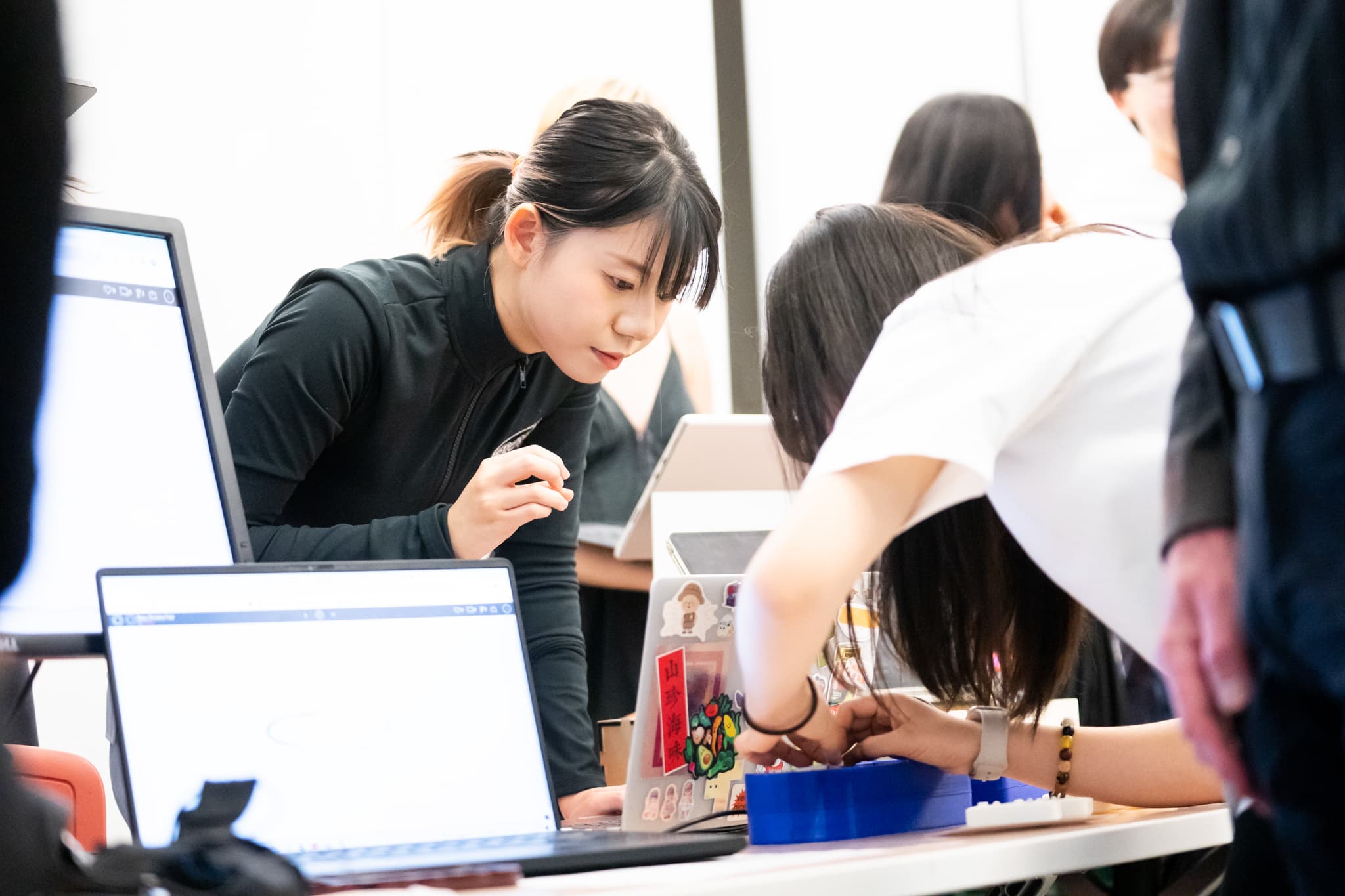
Did it hold up in real hands?
Takeaways
What screen-less interaction taught me
These are the questions every embodied product, a robot, a wearable, an appliance, has to answer: how does a machine make its state legible, and its mistakes correctable, to a human body rather than a pair of eyes?
What's next
Two directions we scoped but didn't build: richer linguistic scenarios on the same physical syntax (past tense, sentence writing), and an AI text-to-audio learning assistant that would let any book become braille practice material.